
Private, not anchored.
Teleport your devices anywhere.
The ultimate browser privacy suite for macOS & iOS. Modify your GPS location in real-time, spoof timezones, block WebRTC leaks, and defend against browser fingerprinting directly from Safari. No computer tethering or jailbreak required!
GPS Teleport
Change latitude & longitude anywhere with a single tap.
VPN Companion
Fixes GPS & WebRTC leaks that standard VPNs leave open.
Timezone & Locale Sync
Aligns browser timezone & language with virtual coordinates.
Fingerprint Defense
Defend against WebRTC, canvas, & hardware profiling.
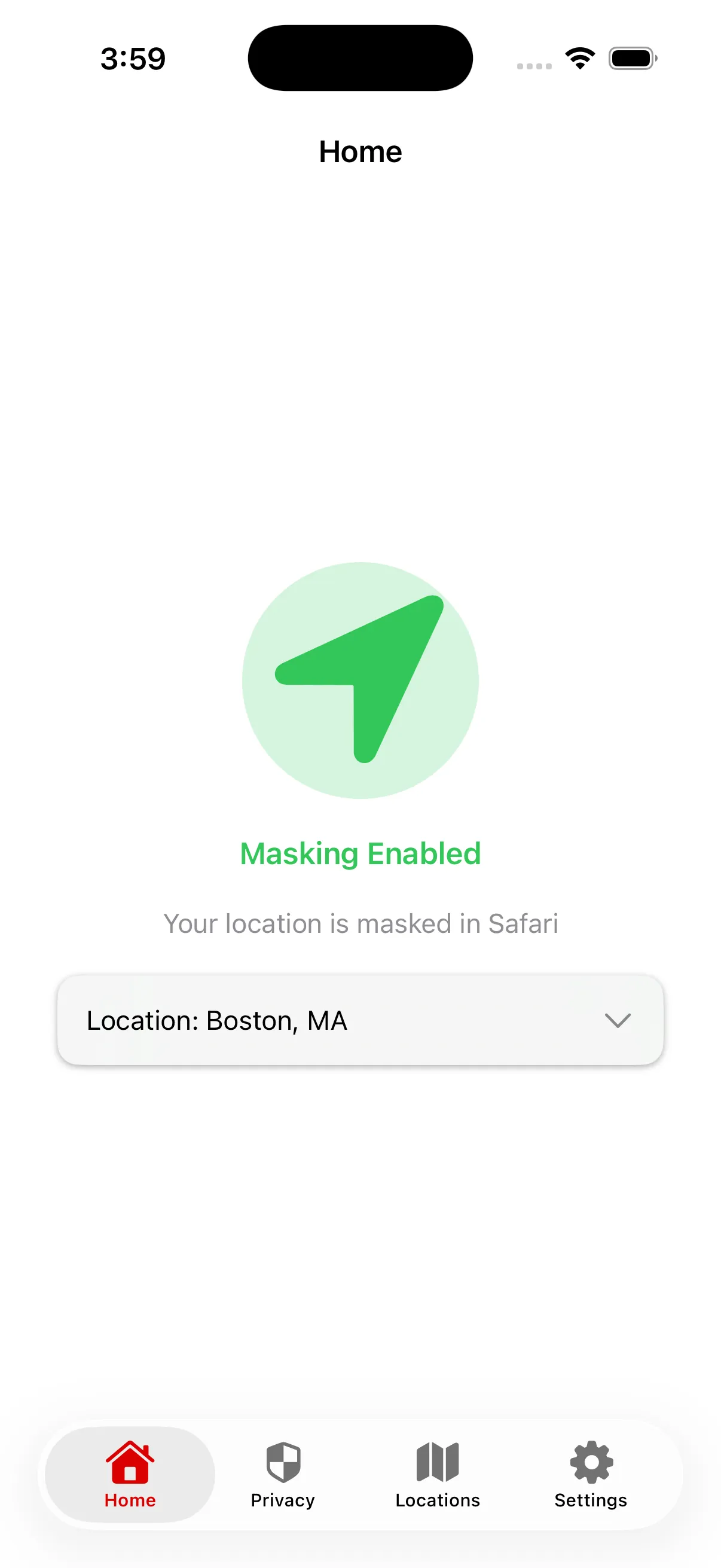
Comprehensive browser privacy stack for macOS & iOS Safari
Browser privacy that feels native, not complicated.
Standard VPNs protect your IP address, but modern websites monitor GPS coordinates, WebRTC leaks, timezones, and hardware fingerprints. GeoCeptor closes every vulnerability directly in Safari.
The Essential VPN Companion
VPNs only route network traffic and change your IP address. Websites still uncover your identity via HTML5 Geolocation, timezones, and WebRTC. GeoCeptor works alongside your VPN to eliminate every location leak.
Timezone & Locale Spoofing
Avoid location mismatch detection. GeoCeptor automatically synchronizes your browser's timezone (Intl.DateTimeFormat) and locale (navigator.language) with your target GPS coordinates.
WebRTC Leak Protection
WebRTC peer connections can bypass proxies and reveal your real IP address to websites. GeoCeptor intercepts WebRTC requests inside Safari to block real IP exposure and ensure true anonymity.
Canvas Fingerprint Defense
Aggressive tracking scripts analyze HTML5 Canvas rendering to generate a unique digital hardware fingerprint. GeoCeptor introduces subtle, imperceptible noise to render routines, breaking tracker profiling.
User-Agent & Hardware Mask
Mask your device profile by customizing your User-Agent string. Obfuscate hardware properties like CPU cores (hardwareConcurrency) and device memory to prevent hardware identification.
macOS & iOS Native Extension
No desktop cables, developer modes, or risky sideloads. GeoCeptor operates natively on both macOS and iOS as an official, Apple-approved Safari web extension. Switch coordinates seamlessly on Mac, iPhone, or iPad.
The perfect companion
to your VPN.
A VPN is essential for encrypting your internet traffic and masking your IP address. However, modern location-aware web applications do not rely solely on your IP. They query your Mac or iPhone's GPS coordinates, browser timezone, and WebRTC stack directly.
Without GeoCeptor, using a VPN creates an immediate location mismatch: your IP says one country, but your GPS and timezone reveal your true location. GeoCeptor bridges this gap to complete your privacy shield.
Your VPN handles the Network
Encrypts traffic, hides real IP address, and secures public Wi-Fi connections.
GeoCeptor handles the Browser & GPS
Overlays GPS coordinates, synchronizes timezones, blocks WebRTC leaks, and masks hardware fingerprints.
VPN + GeoCeptor
Teleport in 3 simple steps.
Get up and running in under 60 seconds without technical headaches or computer tethering.
Get GeoCeptor on App Store
Download the official GeoCeptor app directly from the Apple App Store. Verified by Apple for security, battery efficiency, and privacy compliance.
Enable in Safari Extensions
Open your Safari browser settings, tap 'Extensions', and turn GeoCeptor on. Grant permission so the extension can intercept location & fingerprint queries.
Pinpoint & Teleport
Search any city, landmark, or custom coordinate on the world map. Tap 'Spoof Location' and Safari will instantly broadcast your new virtual identity.
Why a VPN alone isn't enough.
See how combining your VPN with GeoCeptor creates the ultimate airtight browser protection on iOS compared to standalone solutions.
| Feature | ✨ GeoCeptor + VPN | VPN Alone | PC Cable Spoofer |
|---|---|---|---|
| Spoofs HTML5 / Safari GPS Coordinates | ✓ Yes, Real-Time | ✕ No (Only IP) | ✓ Yes |
| Encrypts IP Address & Network Traffic | ✓ Yes (via VPN) | ✓ Yes | ✕ No |
| Timezone & Locale Alignment | ✓ Automatic Sync | ✕ System Timezone | ✕ Manual |
| WebRTC IP Leak Shield | ✓ Intercepted | ✕ Often Leaks | ✕ Leaks |
| Canvas & Hardware Fingerprint Obfuscation | ✓ Protected | ✕ Exposed | ✕ Exposed |
| Requires Computer / USB Cables | ✓ 0% PC Needed | ✓ No PC | ✕ Required Every Time |
| App Store Approved (No Jailbreak) | ✓ Official Extension | ✓ Official App | ✕ Risky Dev Modes |
Spoofs HTML5 / Safari GPS Coordinates
Encrypts IP Address & Network Traffic
Timezone & Locale Alignment
WebRTC IP Leak Shield
Canvas & Hardware Fingerprint Obfuscation
Requires Computer / USB Cables
App Store Approved (No Jailbreak)
Frequently Asked Questions.
Everything you need to know about GeoCeptor and browser privacy on iOS.
Does GeoCeptor change my location in native iOS apps?+
No. GeoCeptor is an official Safari Web Extension, so it operates strictly within the Safari browser. However, almost all modern web services, dating platforms, social networks, and location-aware tools have fully functional web applications. You can simply open Safari, navigate to the web version of your favorite service, and GeoCeptor will spoof your GPS coordinates, timezone, and privacy settings seamlessly.
Can I bypass local sports blackouts or YouTube TV location blocks in Safari?+
Yes! Regional streaming services and sports broadcasts (such as MLB.TV, NBA League Pass, NFL Sunday Ticket, and YouTube TV home area checks) verify your browser's physical GPS coordinates and local timezone to enforce regional blackouts. By combining GeoCeptor with your VPN in Safari on macOS or iOS, you can teleport your GPS coordinates and align your timezone to any authorized region, seamlessly bypassing local sports blocks and streaming restrictions without cables or computer tethering.
Is GeoCeptor meant to replace my VPN?+
No. GeoCeptor is specifically engineered to be used alongside your VPN. While a VPN encrypts network traffic and changes your IP address, it cannot alter your browser's physical GPS chip data, WebRTC leaks, or timezone settings. GeoCeptor covers these exact browser-level vectors, giving you complete 360° privacy protection.
How does timezone & locale spoofing work?+
When you set a virtual GPS location in GeoCeptor, the extension automatically calculates the local timezone and language parameters for that target region. It overrides JavaScript calls to Intl.DateTimeFormat and navigator.language inside Safari, ensuring websites see zero location mismatch flags.
What are WebRTC leaks and how does GeoCeptor shield them?+
WebRTC (Web Real-Time Communication) is a browser protocol that can accidentally expose your real local or public IP address even when connected to a VPN. GeoCeptor intercepts WebRTC peer connection candidates inside Safari, preventing tracking scripts from uncovering your true network IP.
How does canvas fingerprint defense protect my identity?+
Modern analytics scripts force your browser to render hidden text and 3D shapes on an HTML5 canvas element to generate a unique digital footprint based on your graphics card and system fonts. GeoCeptor injects imperceptible micro-variations into canvas image data, rendering fingerprint tracking useless.
Do I need a Mac or PC to use GeoCeptor on iPhone?+
No. Unlike legacy desktop spoofer software that requires plugging your iPhone into a computer via USB cables, GeoCeptor runs 100% on-device as an official Safari Web Extension. You can change your location on the go without any external hardware.
Is GeoCeptor safe, and does it require a jailbreak?+
GeoCeptor is 100% safe, verified, and distributed through the official Apple App Store. It does not require jailbreaking your device, enabling developer modes, or installing third-party certificates. It operates strictly within Apple's secure extension sandbox.
Your location is your business.
Take control now.
Join over 22,000+ privacy-conscious iOS users. Combine your VPN with GeoCeptor for complete GPS, timezone, WebRTC, and browser fingerprint protection.
Compatible with macOS & iOS 15.0+ • Official Safari Web Extension